
How to Check West Bengal Annapurna Bhandar Status Online: Step-by-Step Guide
A complete step-by-step guide to tracking your West Bengal Annapurna Yojana (formerly Lakshmir Bhandar) application status, verifying your KYC, and ensuring your ₹3,000 monthly DBT reaches your bank account.

Study4India Team
Expert Educator
Tracking Your ₹3,000 Monthly Financial Assistance
Following the sweeping reforms announced in the West Bengal Budget 2026-27, the widely popular 'Lakshmir Bhandar' scheme was fundamentally restructured, rebranded, and enhanced into the Annapurna Yojana (Annapurna Bhandar). With the monthly Direct Benefit Transfer (DBT) increased to a substantial ₹3,000 for eligible women, the state government has completely overhauled the digital infrastructure to ensure transparent and leakage-free fund distribution.
Because the beneficiary pool has been meticulously filtered from 2.4 crore down to 1 crore highly eligible women using strict Aadhaar seeding and e-KYC norms, tracking your application status is more crucial than ever. If you recently applied for the Annapurna scheme during the latest Duare Sarkar (Government at your Doorstep) camps, or if you are a legacy beneficiary transitioning from Lakshmir Bhandar, this guide will show you exactly how to verify your status online.
Before You Begin
- Ensure you have your registered mobile number handy to receive OTPs.
- Keep your Swasthya Sathi Card or Aadhaar Card nearby.
- Remember that the official portal address has migrated to the new state server. Never click on unverified WhatsApp links to check your status.
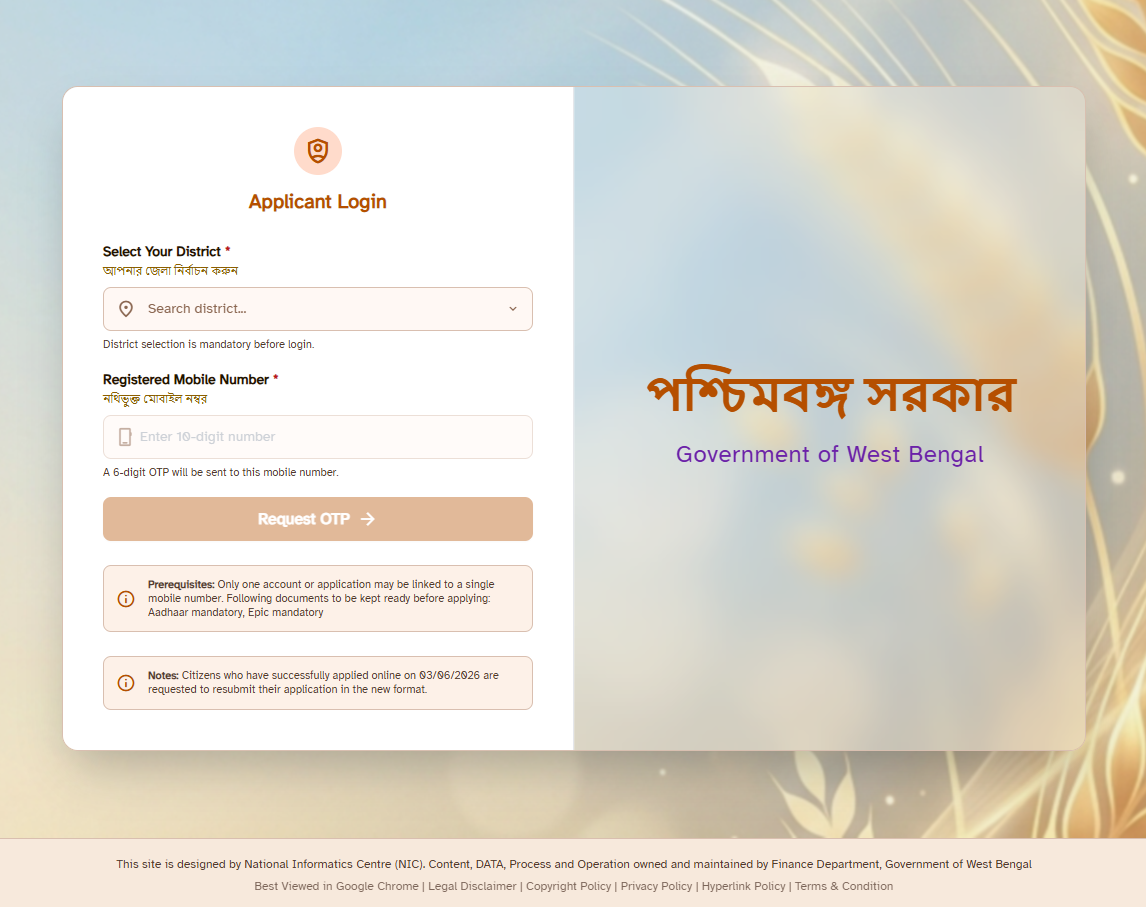
Step-by-Step Guide: How to Check Annapurna Bhandar Status
The Department of Women, Child Development & Social Welfare has made the tracking process entirely digital and accessible via smartphone. Follow these simple steps to know exactly where your application stands:
-
Visit the Official Portal: Open your web browser (Google Chrome or Safari) and navigate to the official state social security portal:
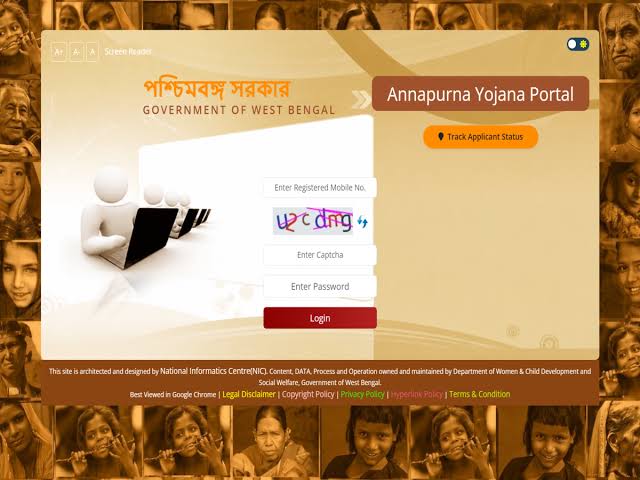
https://socialregistry.wb.gov.in/citizen/(Note: URLs may be nested under socialsecurity.wb.gov.in). - Locate the Tracking Button: On the homepage, scroll down to the citizen services section and click on the brightly colored button labeled "Track Application Status".
- Select Your Verification Method: The portal will ask how you wish to search for your record. You can select one of three options from the dropdown menu:
- Registered Mobile Number
- Swasthya Sathi Card Number
- Aadhaar Number
- Enter Details and Captcha: Input your chosen number carefully. Below that, enter the alphanumeric security Captcha code displayed on the screen to prove you are not a robot.
- OTP Verification (New 2026 Security Measure): To protect beneficiary privacy, the system will now send a One-Time Password (OTP) to your Aadhaar-linked mobile number. Enter the 6-digit OTP and click "Submit".
- View Your Dashboard: Your digital beneficiary card will appear on the screen, displaying your name, bank details (partially masked), and the current status of your application and payments.
Understanding Your Application Status
Once you access your dashboard, you will see a specific status message. Because the government has tightened the eligibility criteria to eliminate ghost beneficiaries, it is vital to understand what these statuses mean and what action you might need to take.
| Status Message | What It Means | Action Required |
|---|---|---|
| Approved / Active | Your application is fully verified, and your bank account is successfully linked for DBT. | None. Expect your ₹3,000 credit within the first week of the month. |
| Application Submitted | Your form has been digitized but is waiting in the queue for Block Development Officer (BDO) approval. | Wait patiently. Processing can take 15-30 days after a Duare Sarkar camp. |
| Pending e-KYC | Your name is in the system, but your Aadhaar is not properly seeded with your bank account, causing a DBT failure. | Visit your bank branch immediately to complete Aadhaar NPCI mapping. |
| Rejected | You do not meet the new eligibility criteria (e.g., age mismatch, duplicate entry, or family income too high). | Check the rejection reason. If it's an error, you must re-apply with corrected documents. |
What to Do If You Face Issues?
If you encounter technical glitches, or if your status has been stuck on "Pending" for several months without explanation, the government has provided an integrated grievance redressal mechanism.
You can utilize the newly launched 'Apnar Sarkar, Apnar Pashe' initiative. Simply dial the toll-free helpline number or visit the integrated grievance web portal. When filing a complaint, ensure you quote your Application ID or Swasthya Sathi number so the operators can locate your file in the database. With the state's move towards a paperless digital architecture, most DBT issues related to the Annapurna Yojana are resolved within 72 working hours once the correct KYC documents are digitally uploaded.
Conclusion
The transition from Lakshmir Bhandar to the Annapurna Yojana represents a massive shift towards precision welfare. While the ₹3,000 monthly assistance is a substantial economic boost, it demands that beneficiaries remain proactive about their digital documentation. By regularly checking your status online and ensuring your bank account remains Aadhaar-seeded, you can guarantee uninterrupted financial support from the state.
Comments (0)
Leave a Reply
Your email address will not be published. Required fields are marked *
No comments yet. Be the first to start the discussion!